Emoji keyboard shortcuts are one of the easiest ways to speed up typing and express emotions clearly without interrupting your workflow. Whether you are chatting on WhatsApp, replying to emails, posting on social media, or working on documents, knowing the right shortcuts saves time and effort. In Egypt, where mobile and desktop usage is growing rapidly, mastering emoji shortcuts is becoming a daily productivity skill.
Emoji use is no longer limited to casual chats. Professionals, students, creators, and online sellers now rely on emojis to add clarity and tone to messages. From Windows laptops to iPhones and Android devices, every platform offers built-in emoji keyboard shortcuts that most users never fully explore.
This guide explains emoji keyboard shortcuts for all major devices, with practical examples, estimated prices for keyboards and devices in Egypt, and tips to use them efficiently.
Why Emoji Keyboard Shortcuts Matter for Daily Users in Egypt
Typing emojis by searching through menus wastes time. Keyboard shortcuts make the process instant. For users in Egypt, where bilingual typing in Arabic and English is common, shortcuts reduce friction and improve communication flow.
Benefits include:
- Faster replies on WhatsApp, Messenger, and Telegram
- More expressive social media posts
- Cleaner professional emails with the right tone
- Improved productivity for students and office workers
Even brands like btech egypt and b Tech Egypt promote devices that fully support emoji keyboards, making shortcuts more accessible on modern hardware.
Emoji Keyboard Shortcuts on Windows (Windows 10 & Windows 11)
Windows users in Egypt often overlook how simple emoji access really is.
Main Windows Emoji Shortcut
Press:
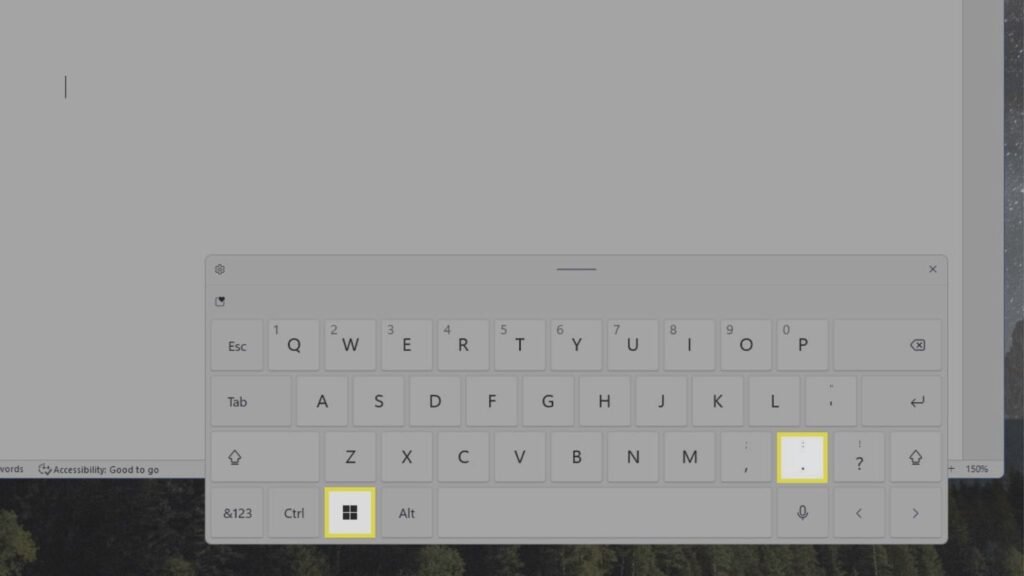
Windows key + . (period)
or
Windows key + ; (semicolon)
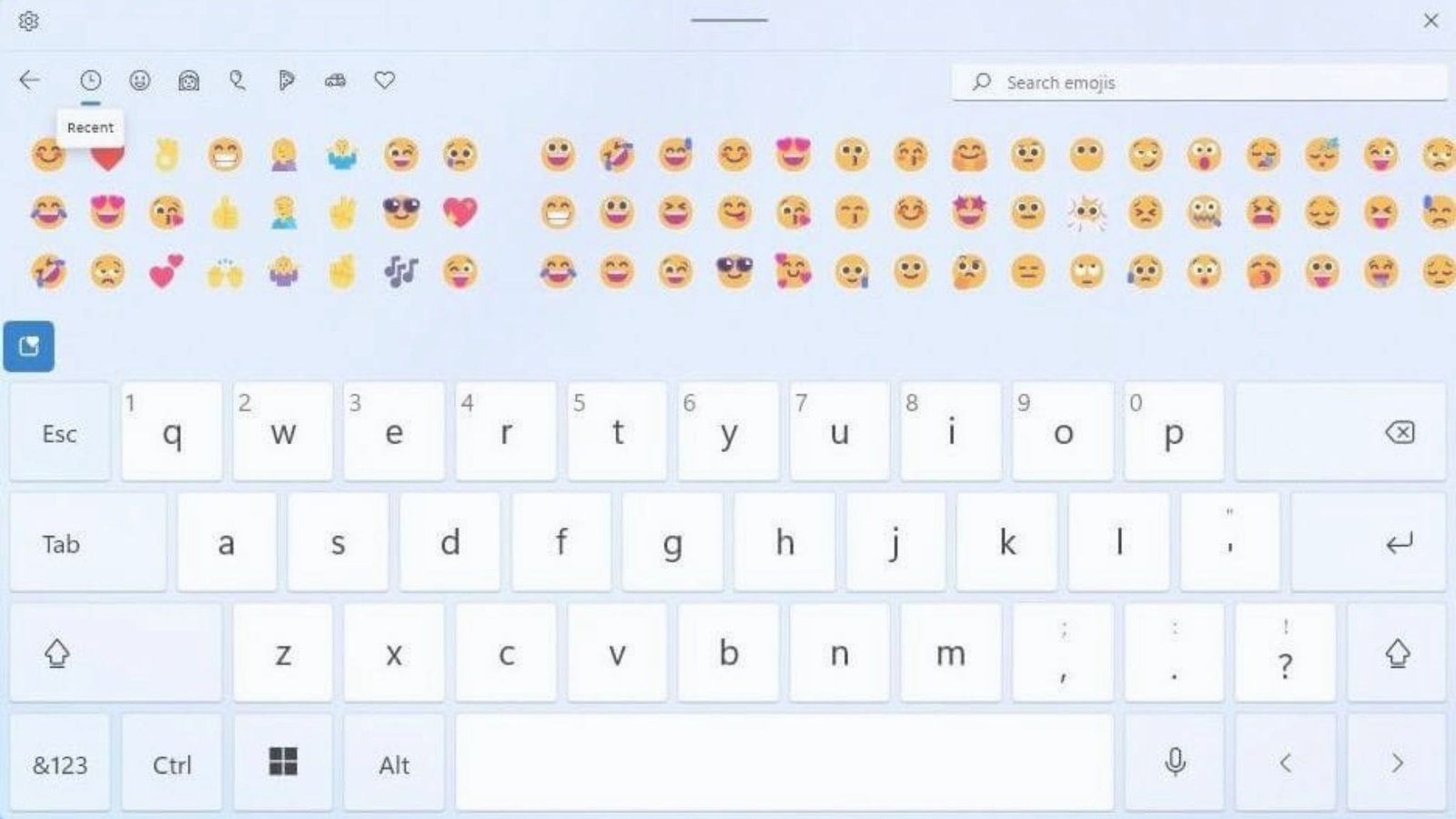
This instantly opens the emoji panel, including emojis, symbols, and kaomoji.
How to Use It Efficiently
- Place the cursor where you want the emoji
- Press the shortcut
- Start typing the emoji name, like “smile” or “heart”
- Press Enter to insert
This works across apps like Word, Chrome, WhatsApp Web, and email platforms.
Estimated Price
- Standard Windows laptop in Egypt: EGP 18,000 to EGP 35,000
- External keyboard: EGP 350 to EGP 900
Available from retailers such as btech egypt and b Tech Egypt.
Emoji Keyboard Shortcuts on Mac (macOS)
MacBooks are popular among designers and developers in Egypt, especially for content creation.
Mac Emoji Shortcut
Press:
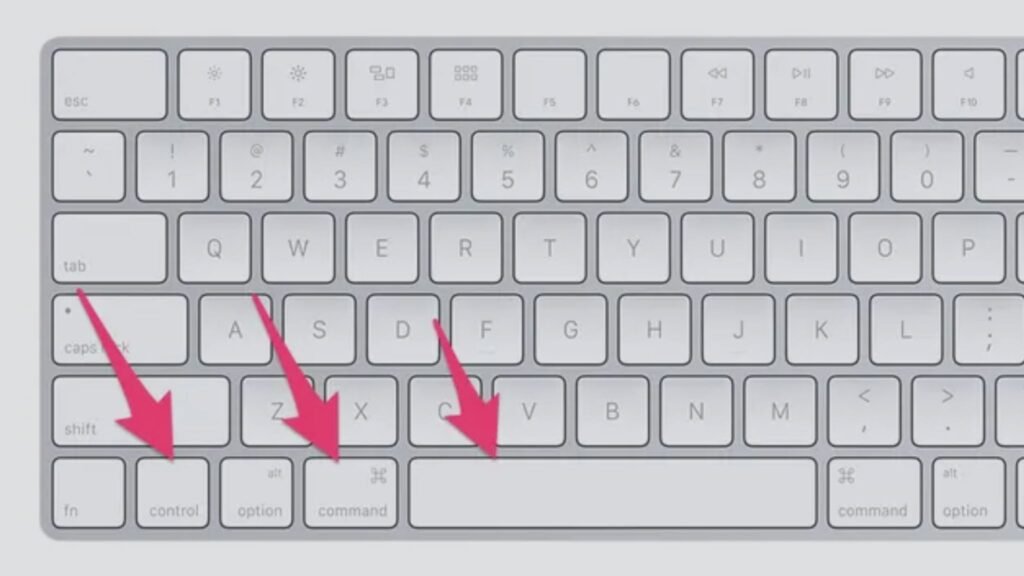
Control + Command + Space
The emoji viewer appears instantly.
Pro Tip for Mac Users
You can pin frequently used emojis and search by keyword, making emoji keyboard shortcuts even faster during long work sessions.
Estimated Price
- MacBook Air in Egypt: EGP 45,000 to EGP 70,000
- Magic Keyboard: EGP 3,500 to EGP 5,500
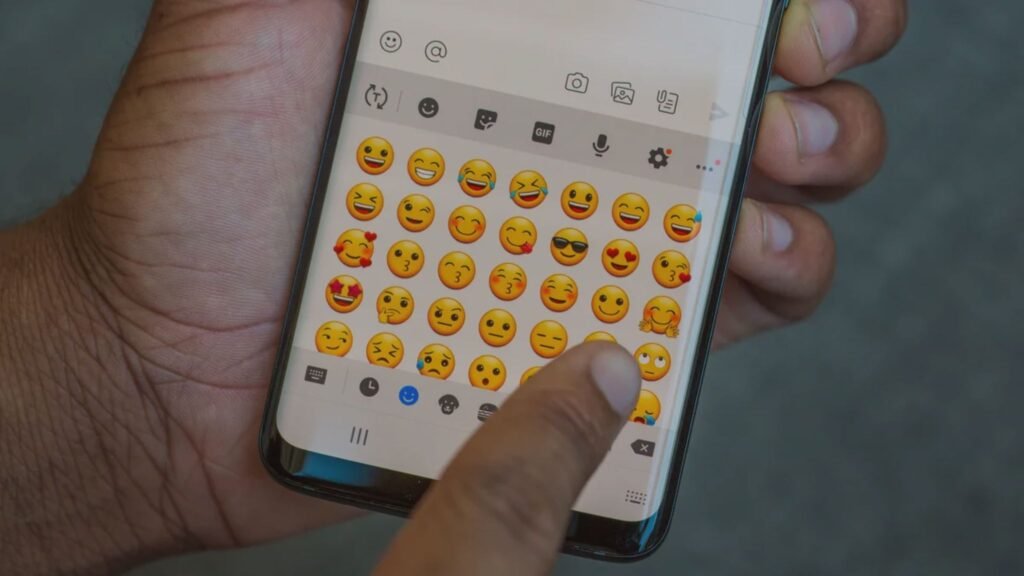
Emoji Keyboard Shortcuts on Android Phones
Android users form a major share of smartphone users in Egypt. Emoji shortcuts depend slightly on the keyboard app.
General Android Emoji Access
- Tap the emoji icon on the keyboard
- Or long-press the Enter or comma key (varies by keyboard)
Gboard Emoji Shortcut
If you use Gboard:
- Go to keyboard settings
- Enable “Show emoji switch key”
- Tap the emoji key anytime while typing
Estimated Price
- Android smartphones in Egypt: EGP 4,500 to EGP 15,000
- Popular brands available at btech egypt
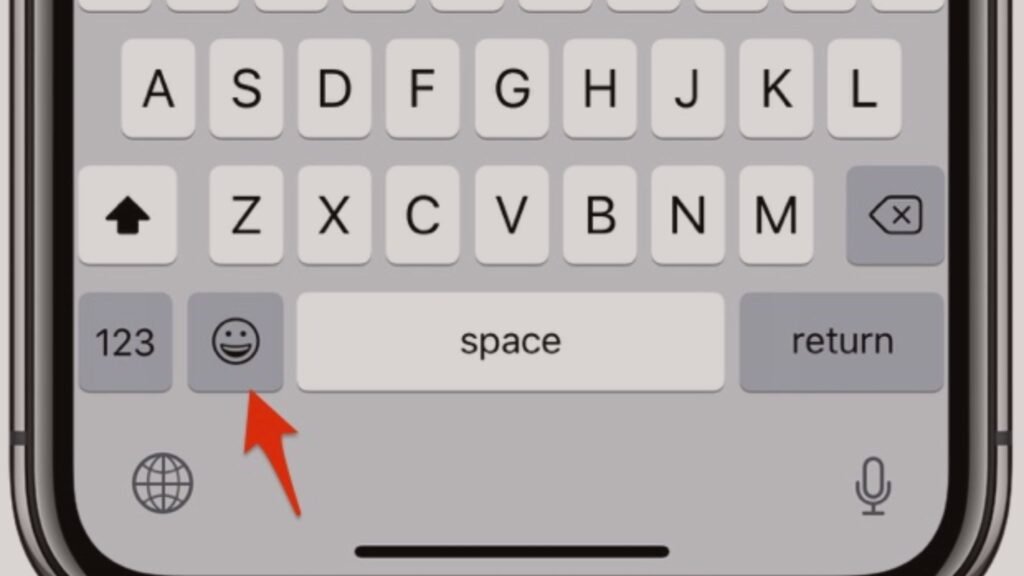
Emoji Keyboard Shortcuts on iPhone (iOS)
iPhones are widely used for social media and business communication in Egypt.
iPhone Emoji Keyboard Shortcut
- Tap the globe icon on the keyboard
- Switch to the emoji keyboard
Text Replacement Trick
You can create shortcut phrases:
- Go to Settings
- General > Keyboard > Text Replacement
- Example: typing “:sm” inserts 😊
This method works like a custom emoji keyboard shortcut.
Estimated Price
- iPhone models in Egypt: EGP 20,000 to EGP 60,000
Emoji Keyboard Shortcuts for WhatsApp and Social Media
WhatsApp Web and Desktop
- Uses system emoji shortcuts
- Windows and Mac shortcuts work directly
Facebook, Instagram, and X
- Emoji shortcuts work in captions and comments
- Search emojis by name after opening the emoji panel
Using emoji keyboard shortcuts improves engagement and readability, especially for content creators and online sellers in Egypt.
Emoji Keyboard Shortcuts for Professionals and Students
Emojis are not unprofessional when used correctly. A single emoji can soften tone or clarify intent.
Common professional use cases:
- Emails with quick acknowledgments
- Presentation slides
- Team chats on Slack or Microsoft Teams
Students also use emoji shortcuts for:
- Group study chats
- Notes and reminders
- Online learning discussions
External Keyboards and Emoji Support
Many users in Egypt connect external keyboards to phones and tablets.
Bluetooth Keyboard Emoji Shortcuts
- On iPad: Control + Command + Space
- On Android tablets: same as phone emoji key
Estimated Price
- Bluetooth keyboard: EGP 500 to EGP 1,200
- Available at b Tech Egypt and other electronics stores.
Tips to Master Emoji Keyboard Shortcuts Faster
- Learn 2 to 3 emojis you use daily
- Use search instead of scrolling
- Create custom text shortcuts on mobile
- Practice shortcuts during chats
Small habits make emoji keyboard shortcuts second nature.
Final Thoughts
Emoji keyboard shortcuts are simple, powerful, and practical for everyday use in Egypt. Whether you are using Windows, Mac, Android, or iPhone, shortcuts eliminate unnecessary steps and make communication smoother. With affordable devices available through trusted retailers like btech egypt and b Tech Egypt, anyone can start using emoji shortcuts today.
Once you master them, typing without emoji keyboard shortcuts feels slow and outdated.